Personal Blunder Base
The Complete Training System for Backgammon Players Who Refuse to Make the Same Mistake Twice
The Complete Training System for Backgammon Players Who Refuse to Make the Same Mistake Twice
If you've been playing backgammon seriously, you already know the routine: analyze your matches in XG, scroll through hundreds of positions, and hope you remember the key mistakes when they appear again in a real game.
Here's the problem: passive review doesn't create lasting memory. Studies in cognitive psychology show that simply "seeing" information leads to retention rates of only 10-20%. You might recognize a position when you see it analyzed, but when you're on the clock in a tournament, that recognition fails you.
Personal Blunder Base solves this with a simple principle: you don't master a skill by watching—you master it by doing. Our Quiz Mode uses "Active Recall," the scientifically proven method where you're forced to retrieve information from memory rather than just recognize it. This single shift can improve long-term retention by up to 400%.
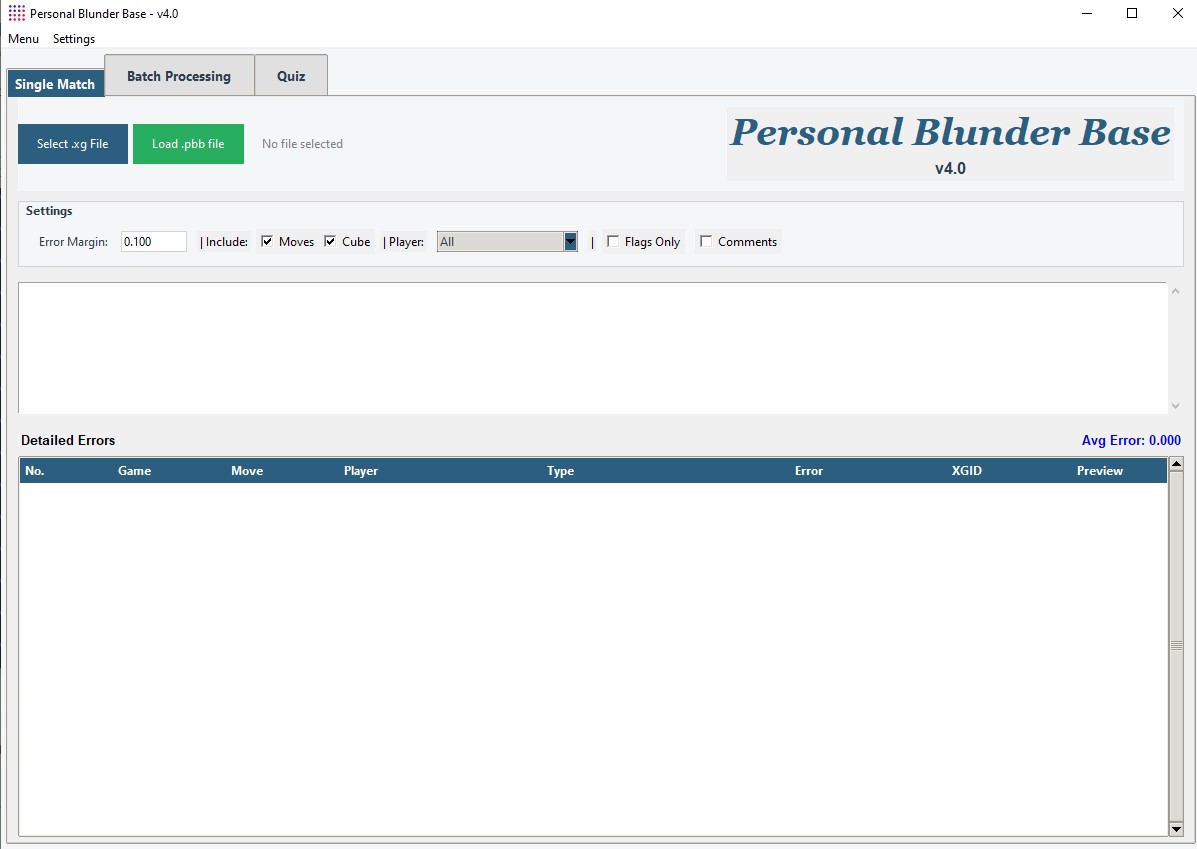
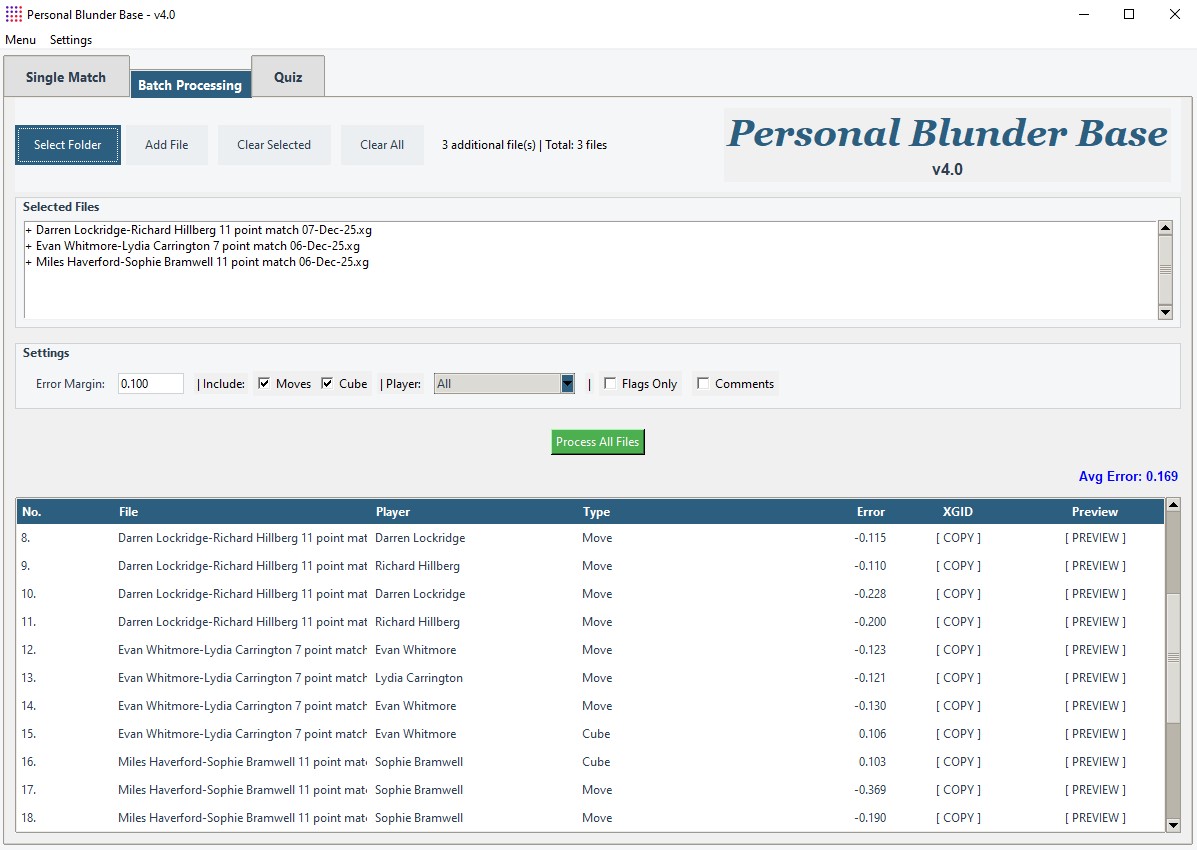
Start by loading your XG match files (.xg format). You can import individual matches or batch-process entire folders. The software reads every position, every decision, and every evaluation from XG's analysis engine.
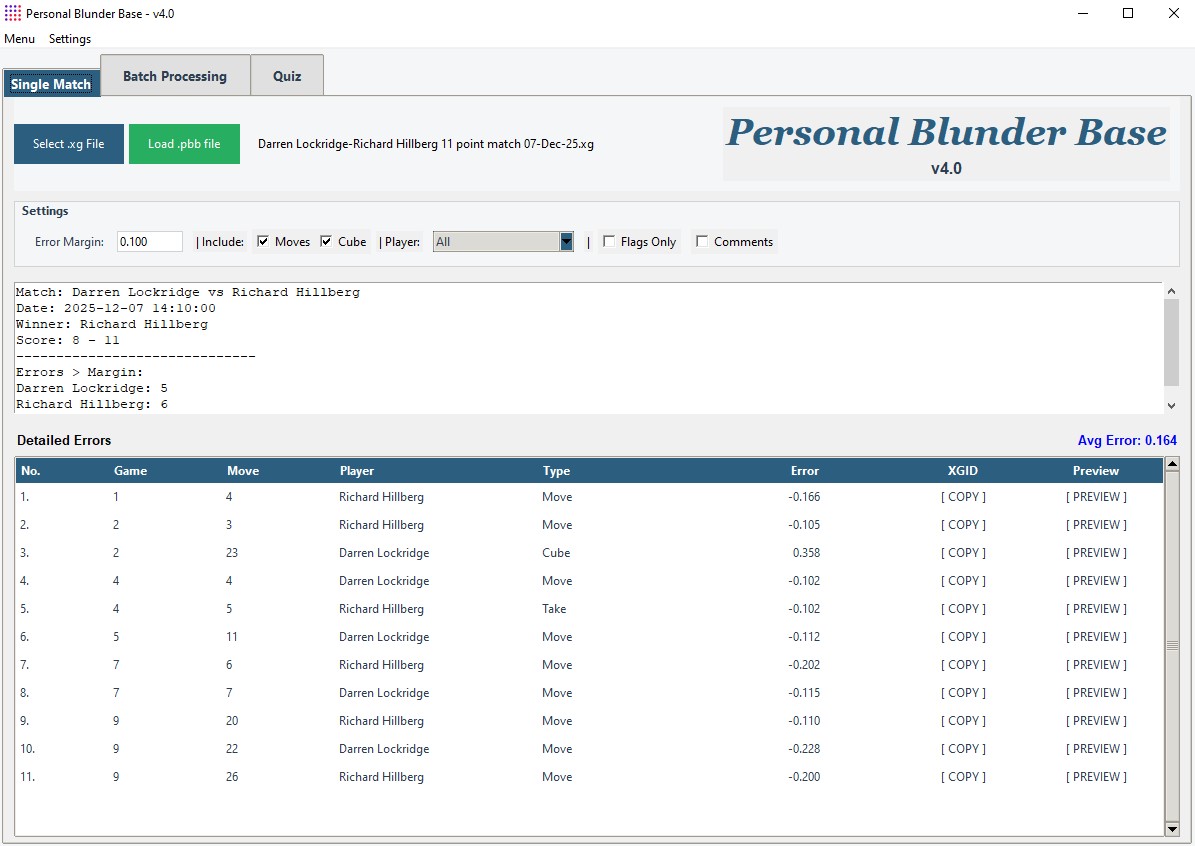
Unlike XG's built-in interface that shows everything at once, PBB lets you filter the noise. Set an error margin threshold (e.g., "show only errors above 0.080 equity") and instantly focus on the decisions that actually cost you games—not the microscopically bad moves that XG flags but don't matter in practice.
The filtering system is where PBB shines. You can segment errors by:
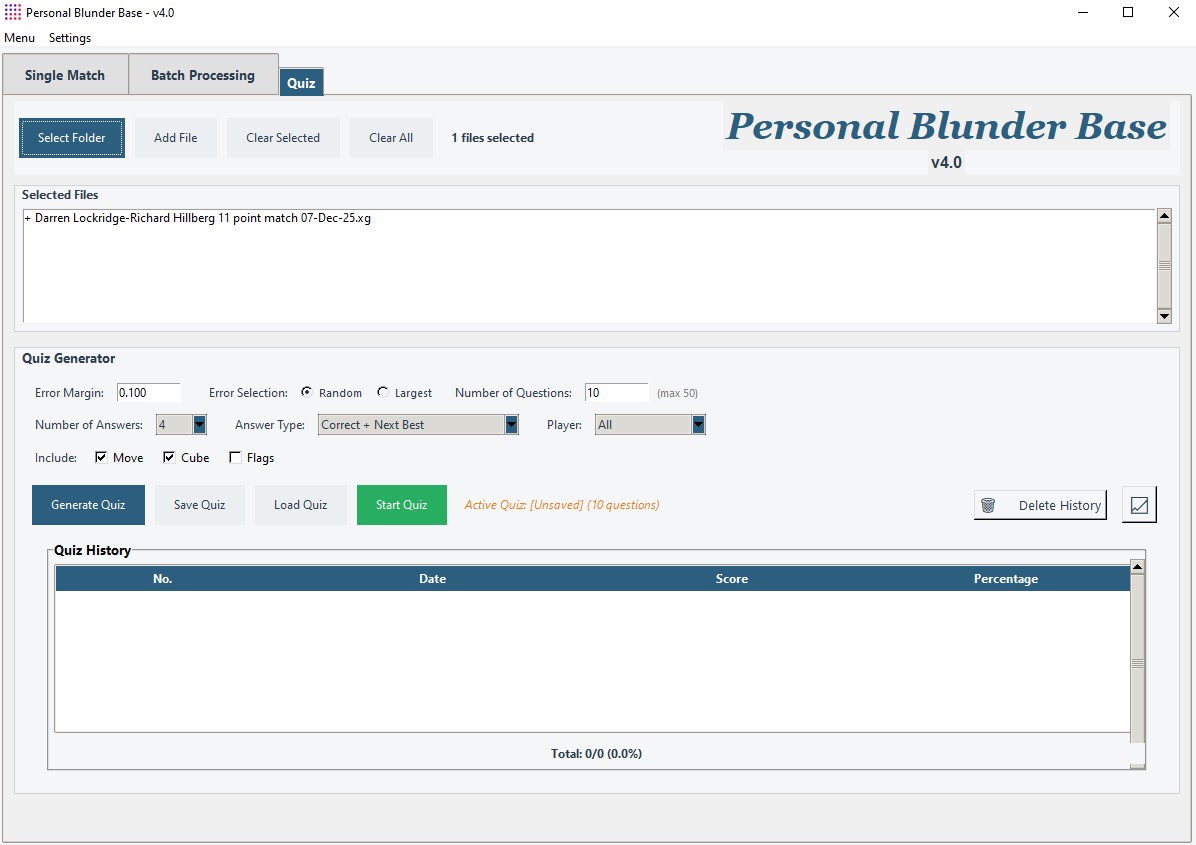
This is where the magic happens. Once you've imported and filtered your positions, click "Generate Quiz." The system extracts the positions from your match history and converts them into interactive problems.
Quiz Generation Options:
When you start a quiz, you're presented with positions one at a time. The interface shows the board state, dice, match score, and multiple-choice answers. You must solve the position before seeing the solution.
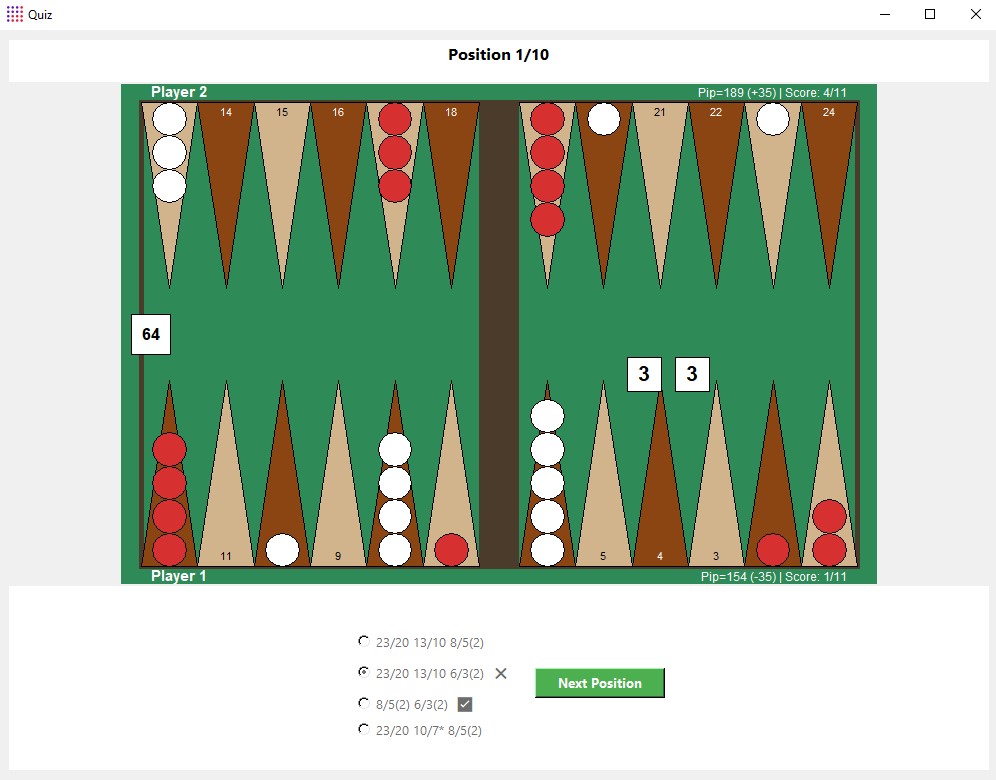
Tutor Mode (Optional): Enable this in Settings for immediate feedback. Instead of waiting until the end of the quiz, you'll see whether you're correct or incorrect after each answer. This creates a tight feedback loop—critical for building intuition. If you get it wrong, you'll see the correct play highlighted.
Timed Mode (Coming Soon): For advanced players, we're adding a timer to simulate real match pressure. Great for eliminating "analysis paralysis."
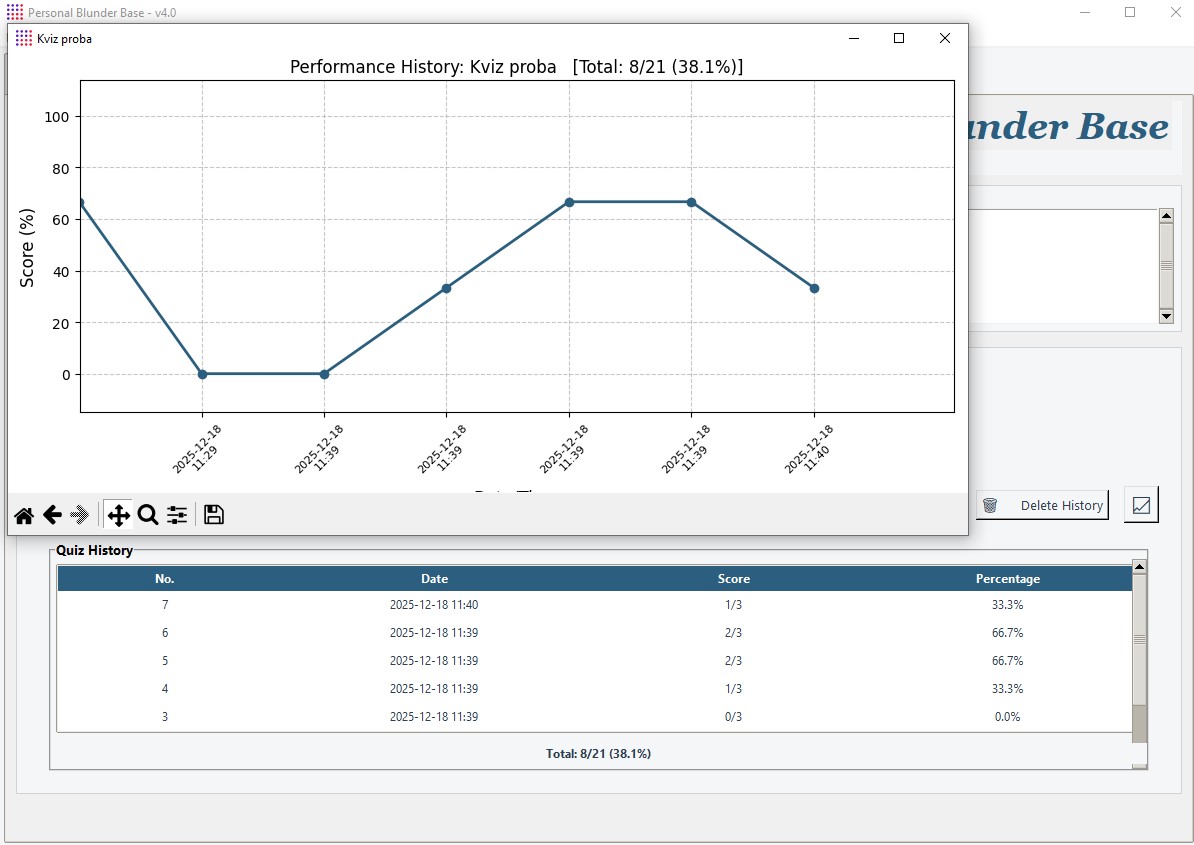
Every completed quiz is logged to your history. You can replay the same quiz as many times as you want—this is deliberate. Spaced repetition (revisiting the same material at increasing intervals) is one of the most effective learning techniques known to science.
The Statistics Graph shows your performance over time:
Process multiple match files at once. Perfect for reviewing an entire session, a tournament's worth of matches, or a year of online play.
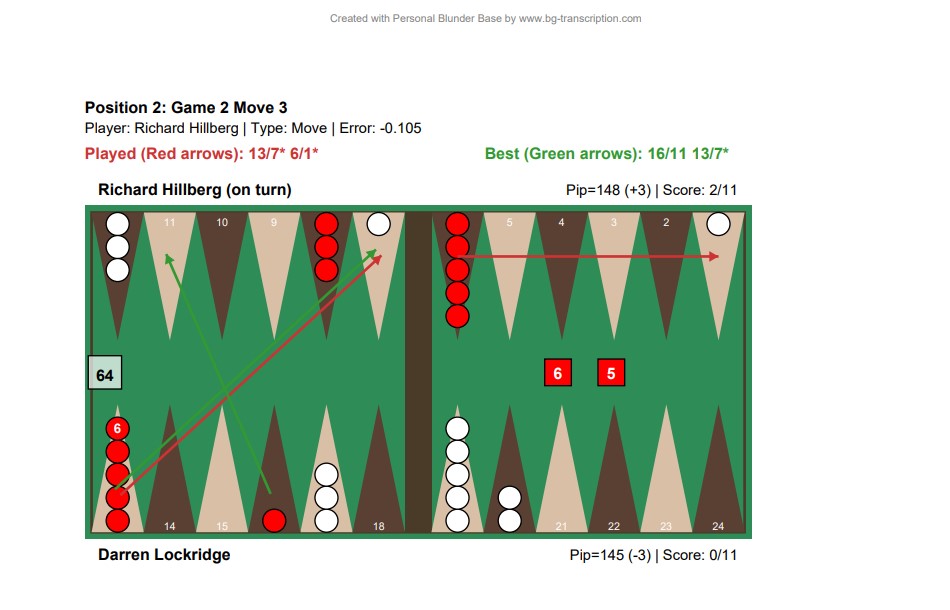
Exports match analysis to formatted PDF. You can view positions anywhere and anytime, on your mobile phone, tablet, etc..
Save filtered position sets as .pbb files. You can practice them every day until you feel progress. They are always there and you can go through them from the beginning whenever you want..
PBB reads XG's embedded annotations. If you added notes during your original analysis ("I thought this was a clear double but XG says it's a blunder"), those notes appear in the quiz interface and PDF exports.
A: No. PBB is a standalone program that only uses already available .xg files. You don't need to have eXtreme Gammon installed at all to use PBB—it's enough to have your match in .xg format.
A: Currently Windows only (requires Python 3.7+). We're exploring cross-platform options for future releases.
A: Smart randomization. If a quiz has 20 positions and you replay it, the questions appear in a different order each time, and the multiple-choice options are shuffled. This prevents rote memorization of "Answer C is always correct."
A: PBB handles files up to 200+ moves efficiently. Batch mode can process dozens of matches in seconds.